Matrix items set up
A matrix item is a parent item with independently priced child variants.
Example: a matrix has:
- Dimension 1: Color → Red, Blue
- Dimension 2: Size → Small, Medium, Large
This produces six possible cells/variants.
How it is configured:
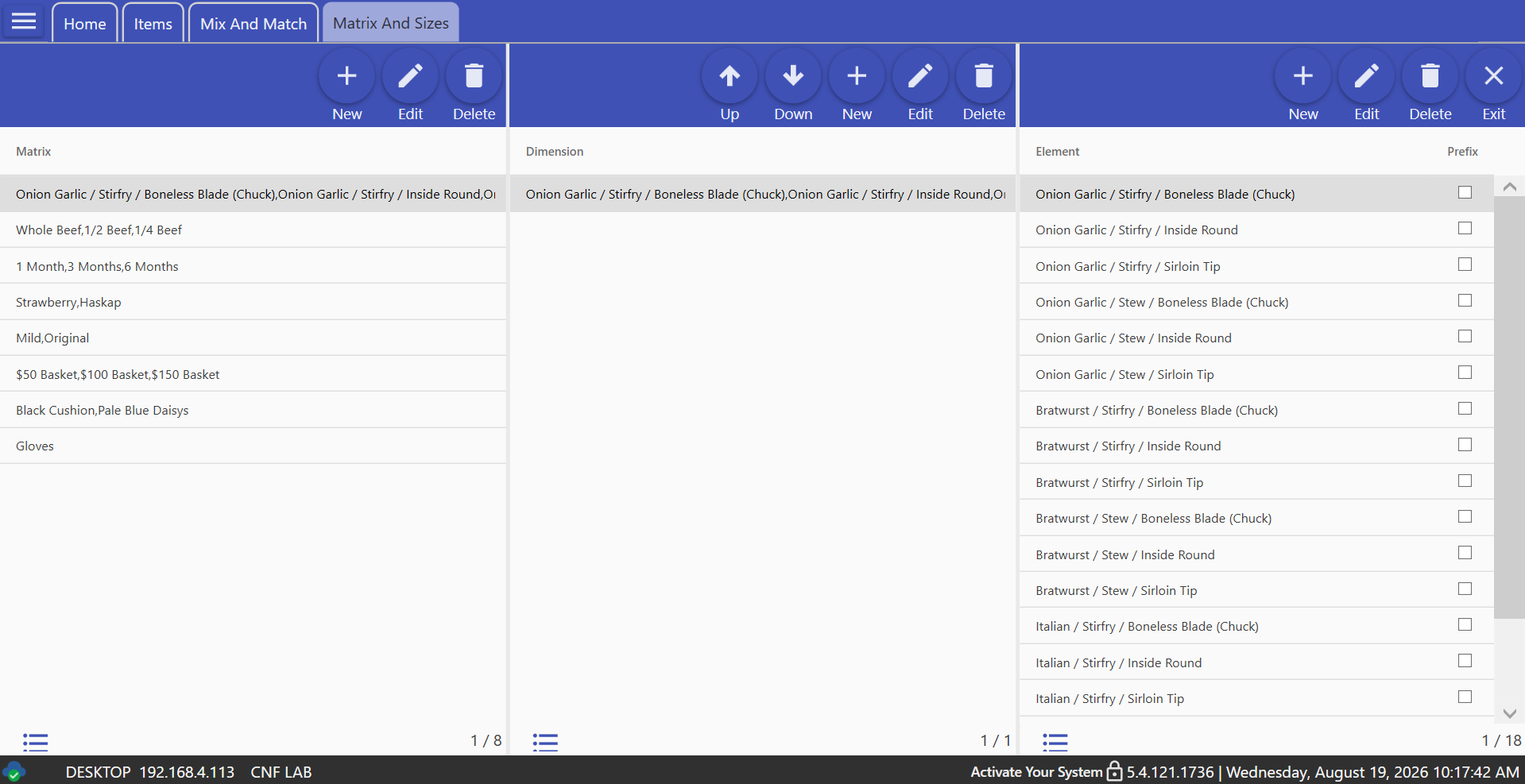
- Under “Matrix and Sizes,” define a matrix, up to three dimensions, and their elements. Elements can also control name prefixing and button styling.
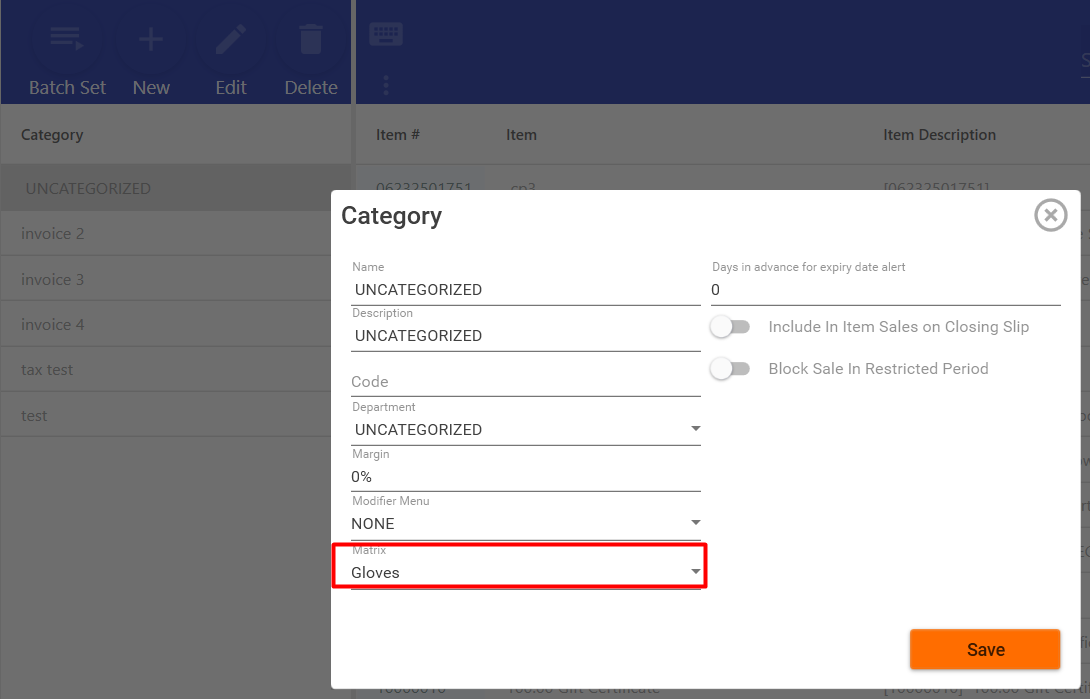
- Assign the matrix to a category.
- Create an item in that category and set its type to
Matrix. This is the parent item. - On the item’s Matrix tab, check the desired combinations and set their prices.
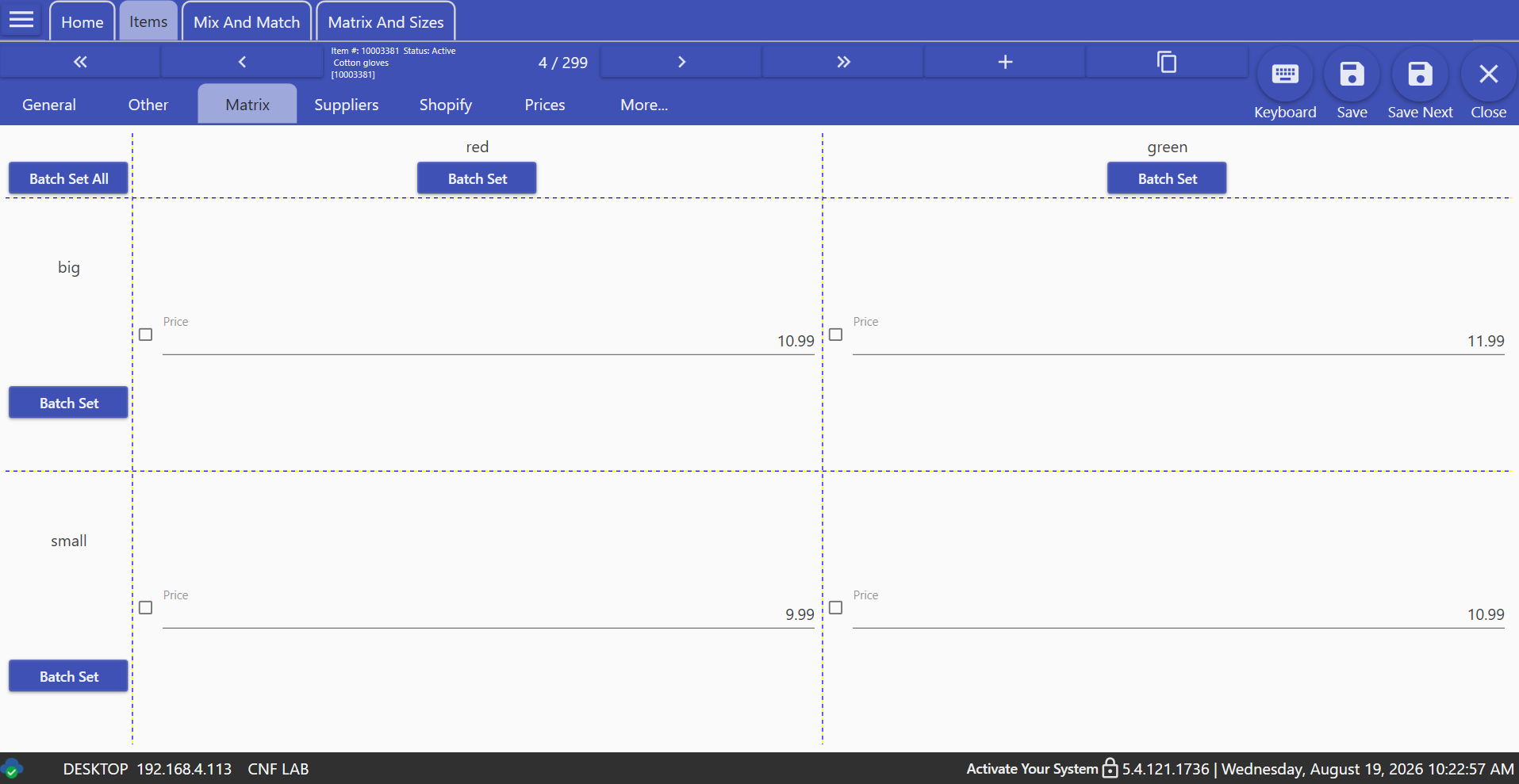
- One important detail: because the matrix is attached to the category, all matrix items in that category use the same dimension structure. Reordering or deleting dimensions/elements therefore updates existing child variants across every affected item.
Tag: